1
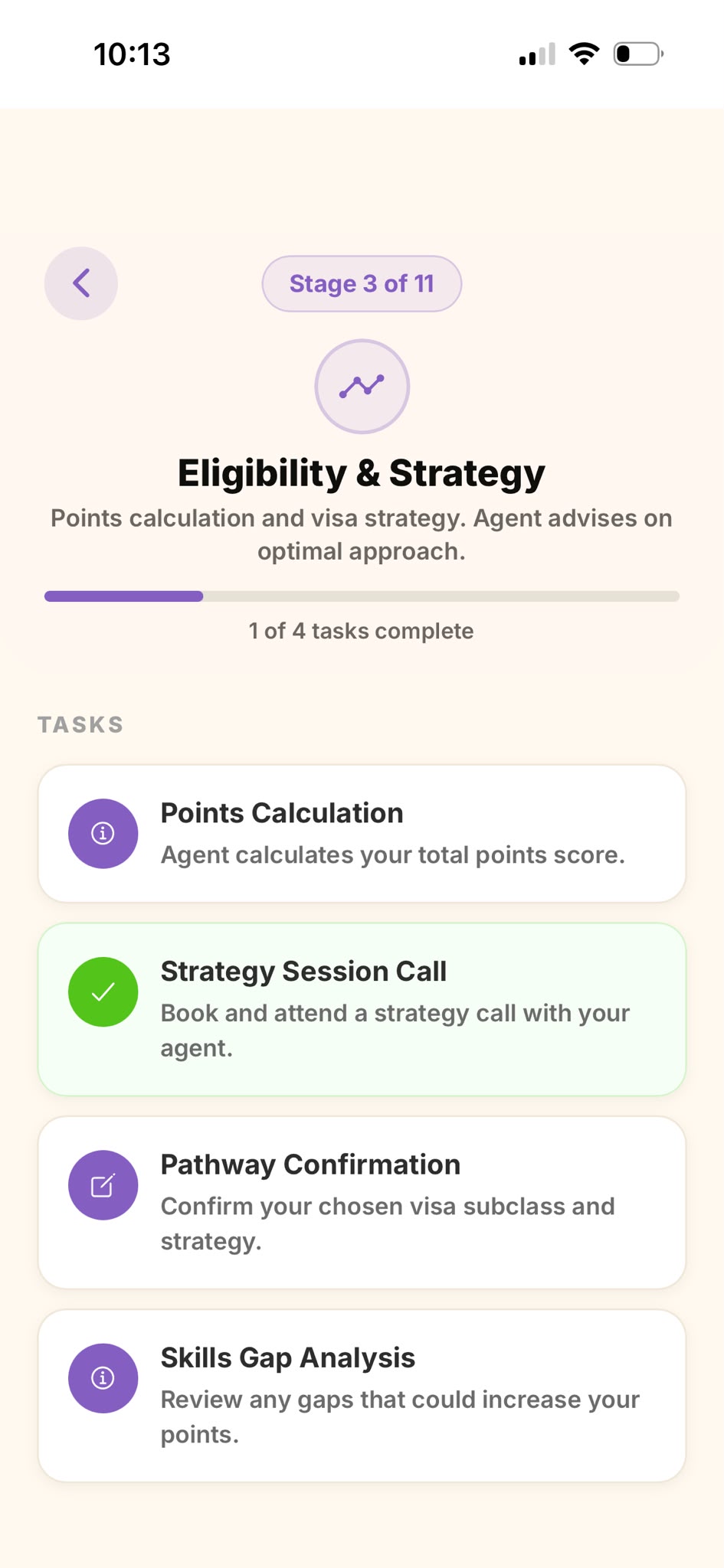
Open your payment task
Open My Visa Journey, tap the active stage, then tap your payment task — it has a card icon.
2
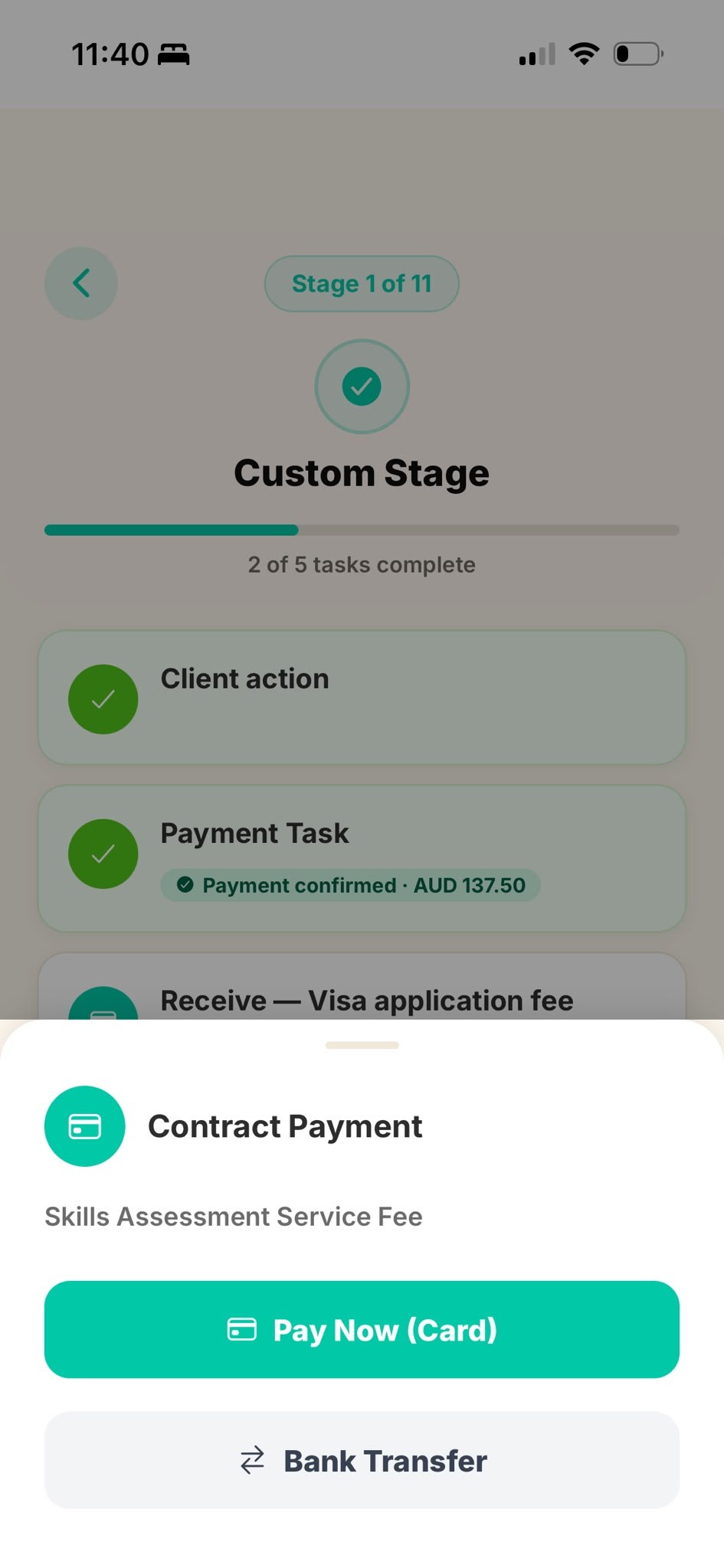
Choose how to pay
You'll see two options: Pay Now (Card) for an instant card payment, or Bank Transfer to pay from your bank.
3
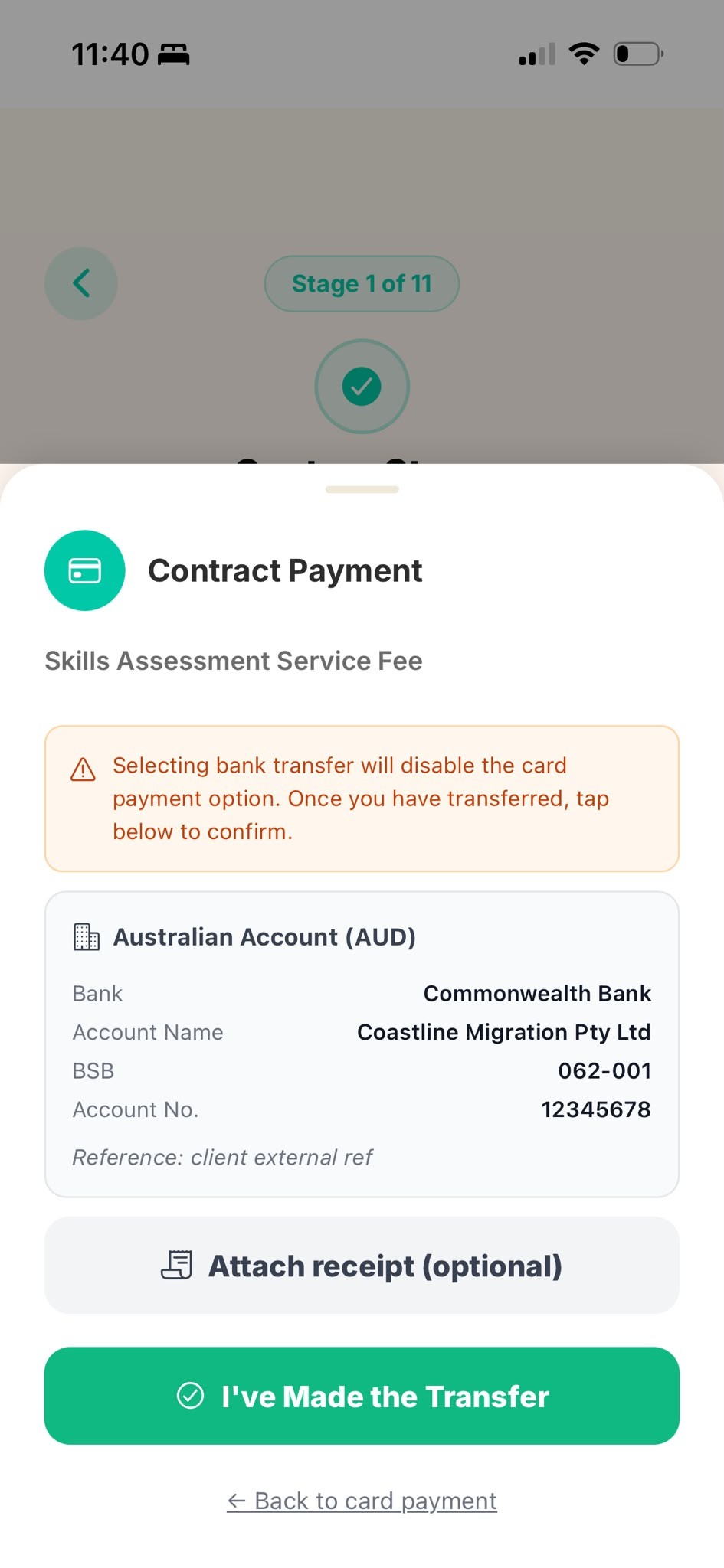
Paying by bank transfer
Tap Bank Transfer to see the account details. Transfer the amount using the reference shown, then tap I've Made the Transfer. You can attach a receipt (optional).
💳
Paying by card? Tap Pay Now (Card) and complete payment on the secure Stripe checkout — your task is marked paid automatically. Either way, your agent is notified once the payment is received.