1
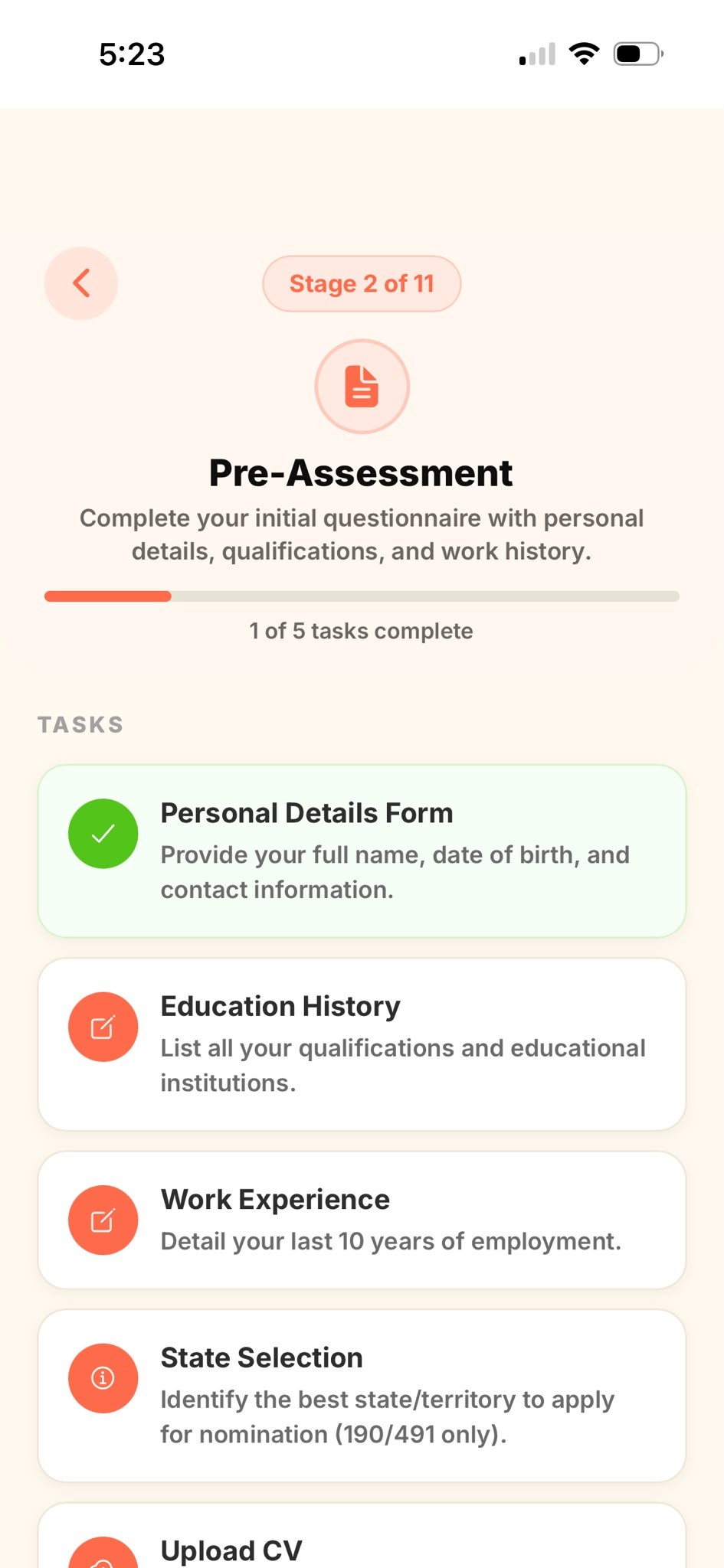
Open the form task
In your active stage, tap the form task — for example Personal Details Form. It has a pencil-and-paper icon.
2
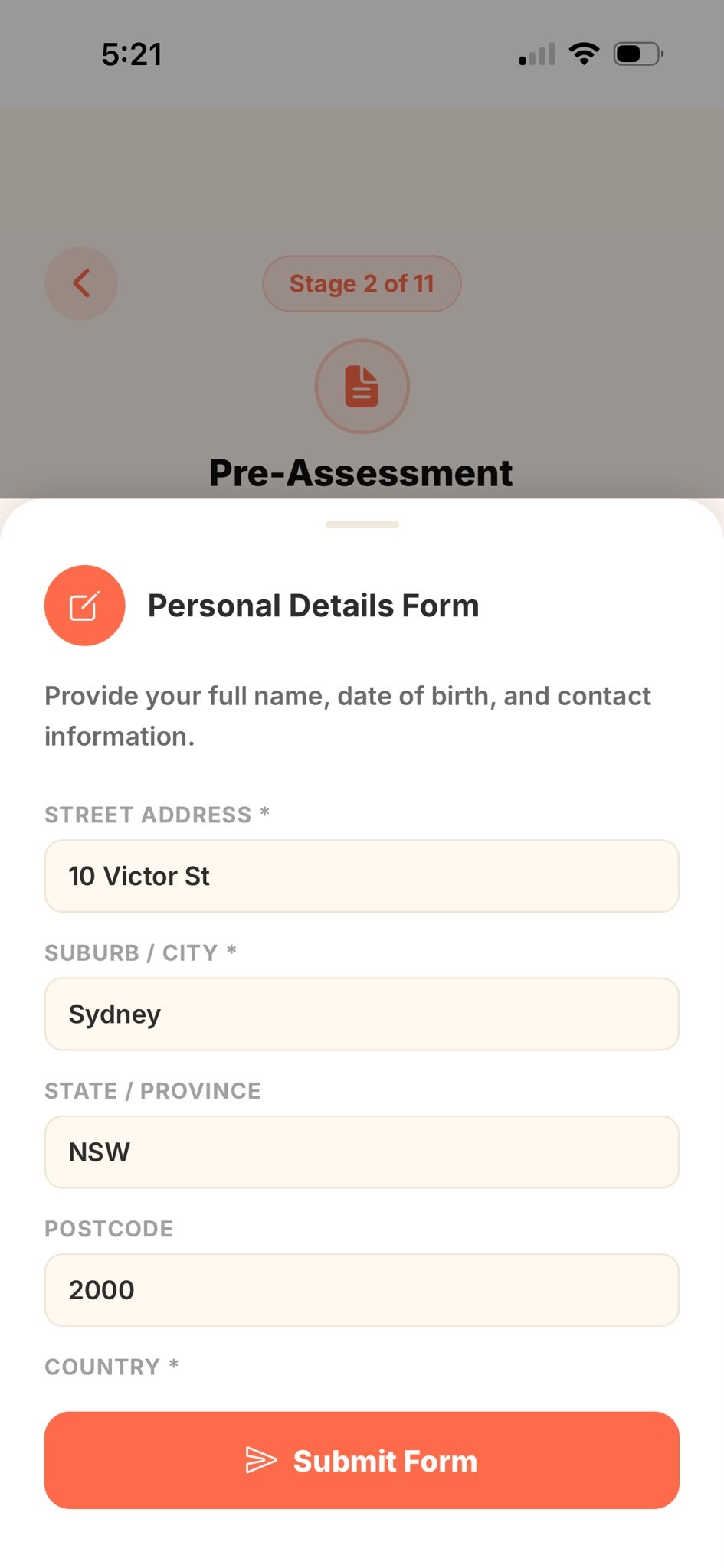
Fill in your details
Complete each field. Fields marked with * are required. When you're done, tap Submit Form.
3
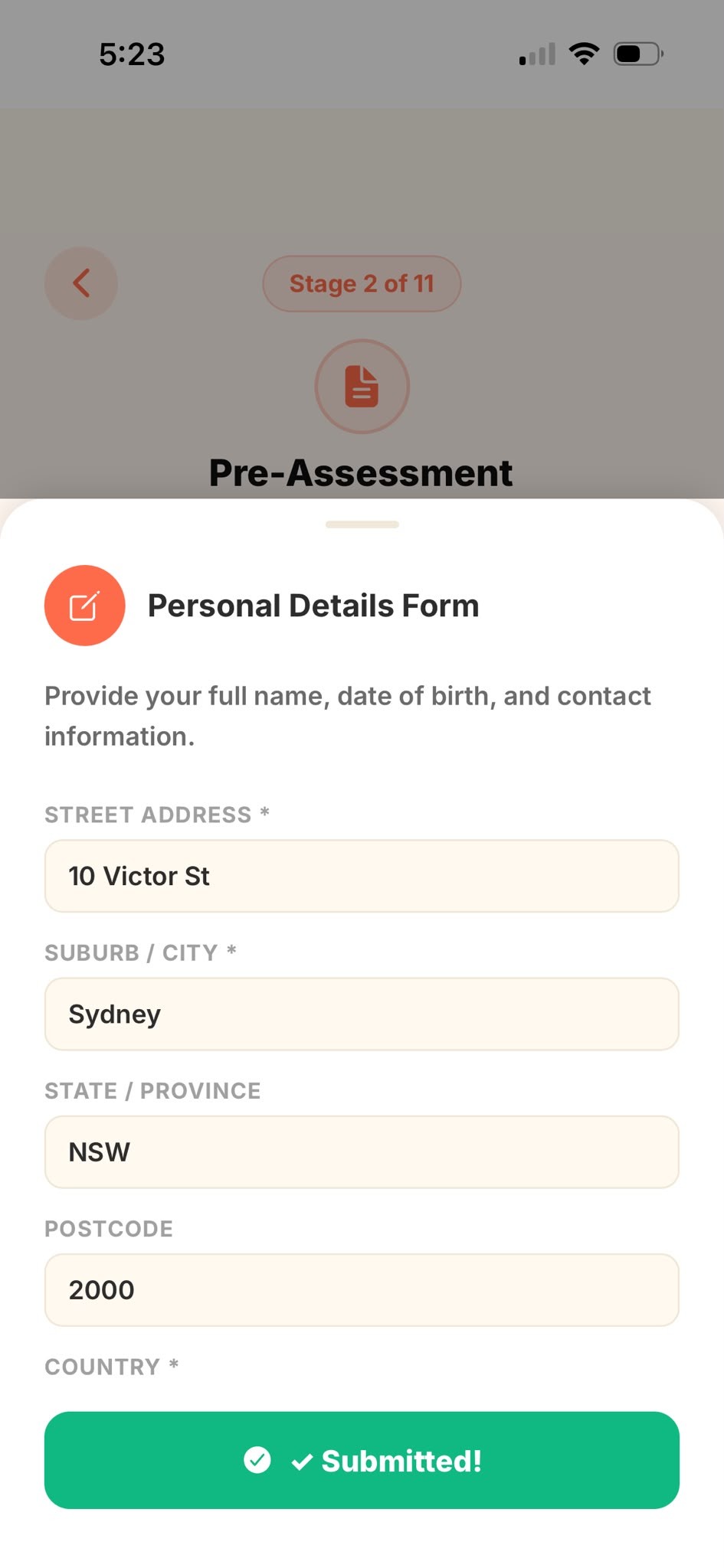
Submitted
You'll see ✓ Submitted! — your answers are saved and sent to your agent. The task is now marked complete.
🔒
Your information is encrypted and visible only to your migration agency. Need to change an answer after submitting? Just ask your agent to reopen the form for you.