1
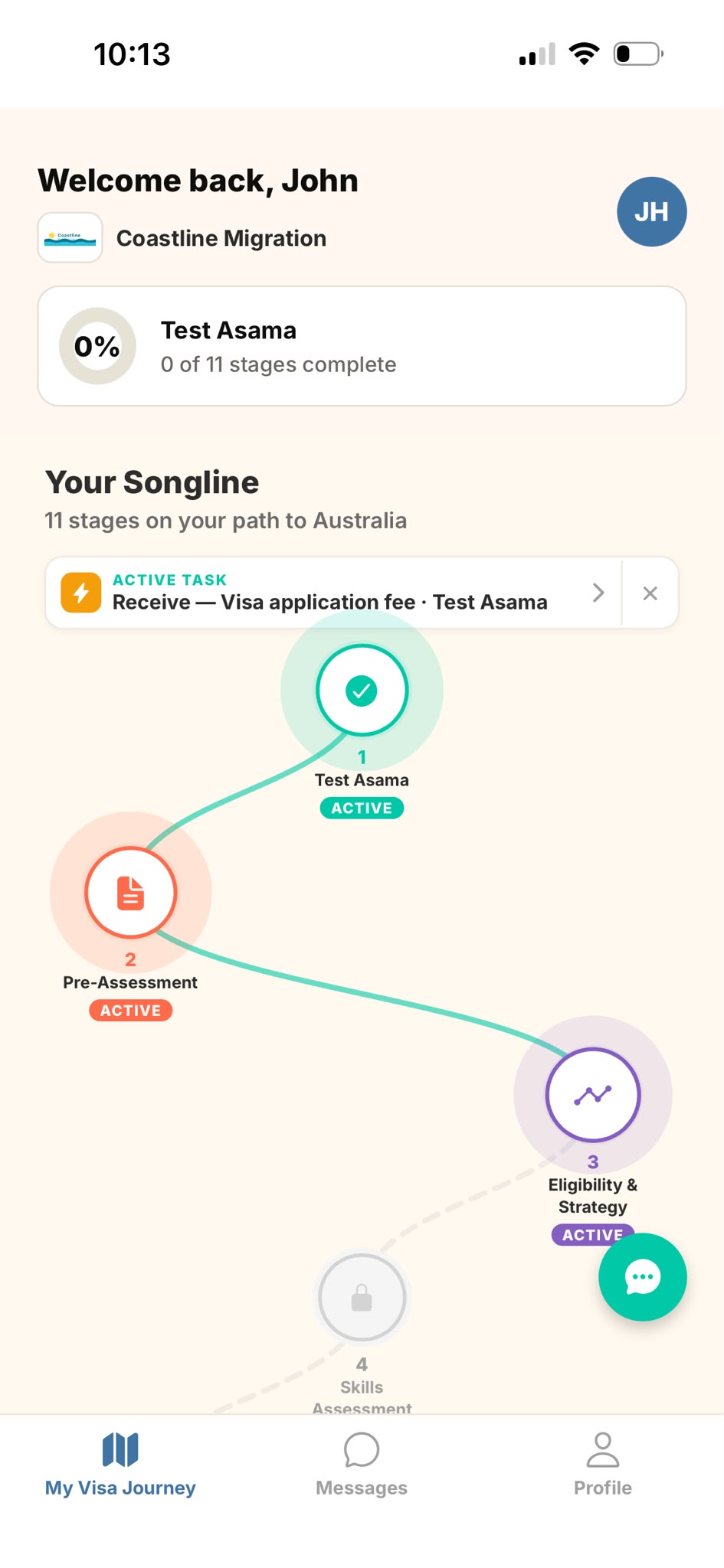
Open your Songline
Open the My Visa Journey tab and tap the ACTIVE stage that holds your meeting task.
2
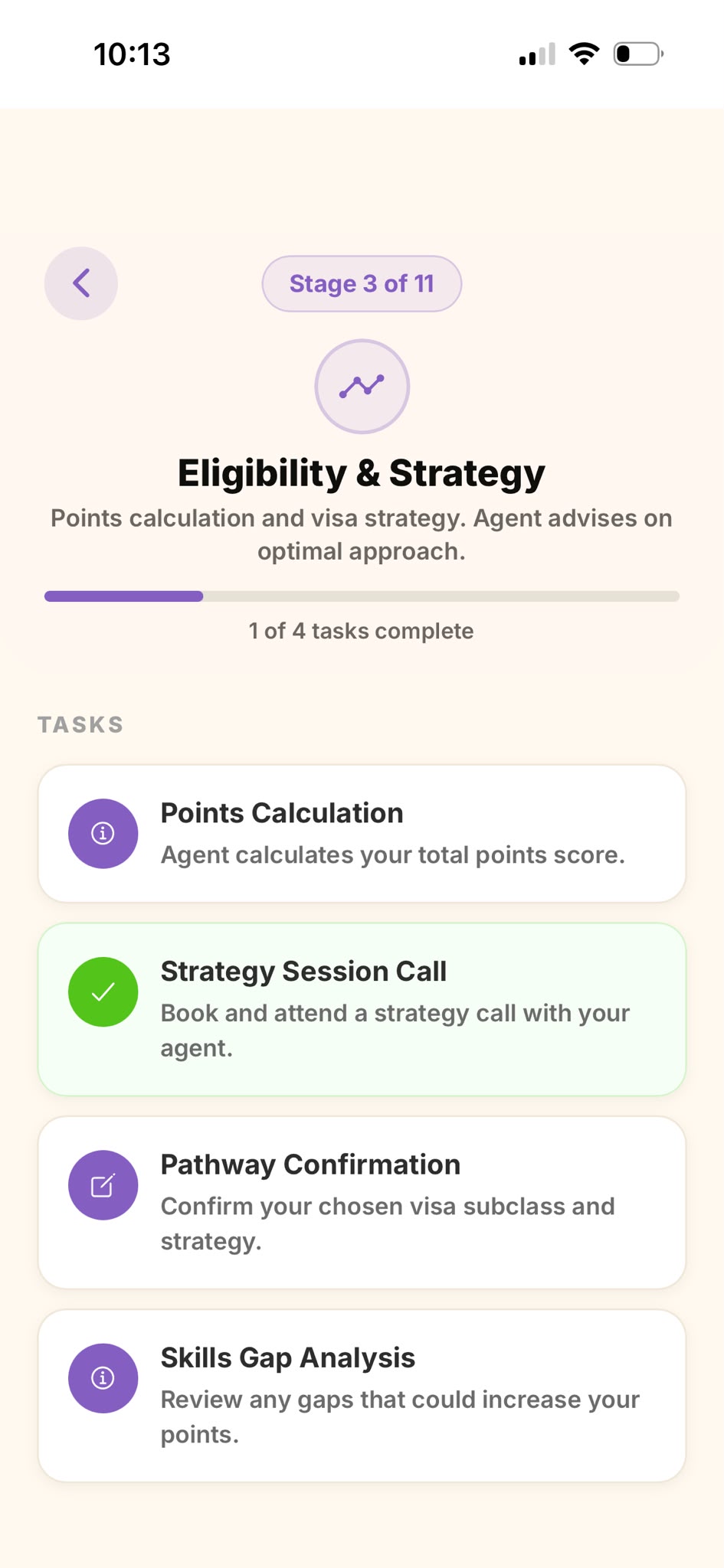
Pick the booking task
Tap your meeting / booking task — it has a calendar icon.
3
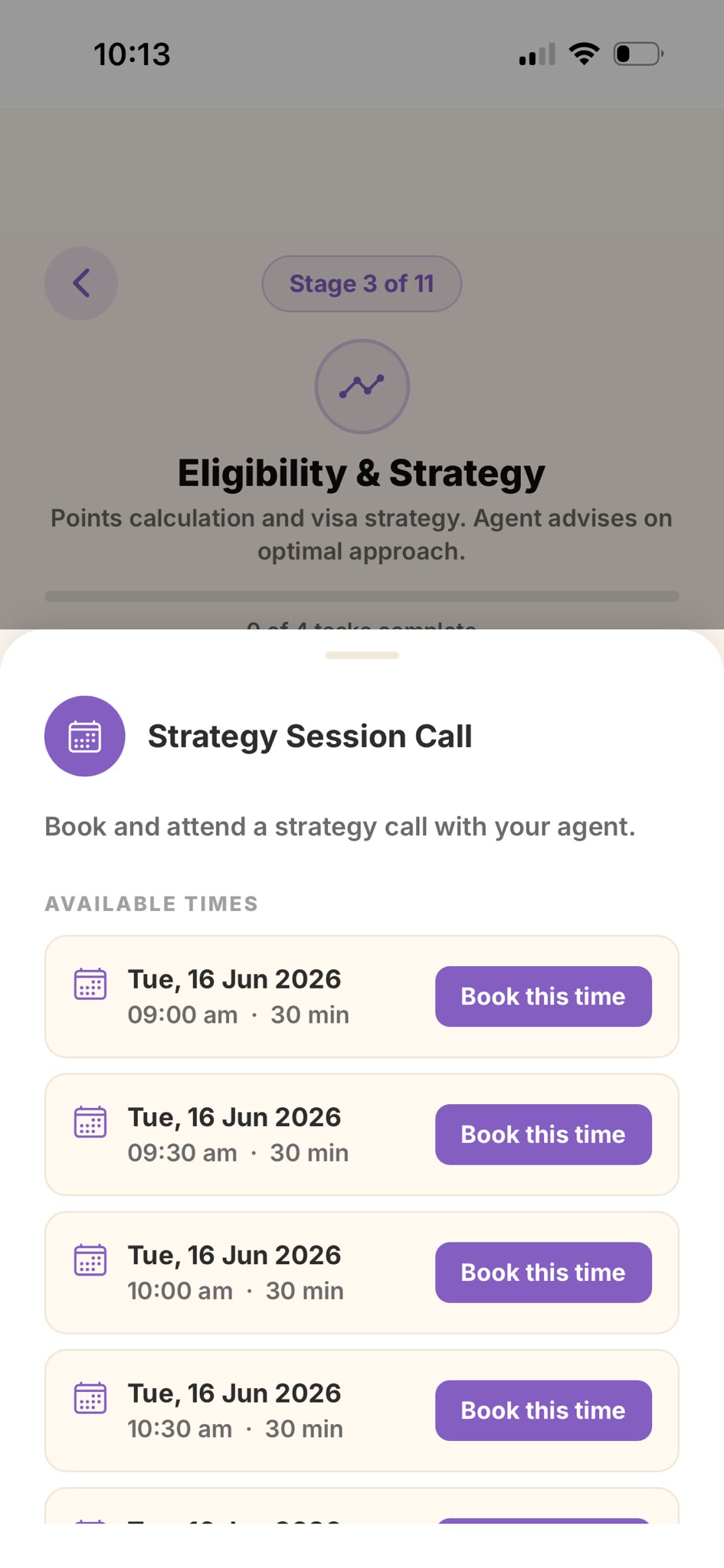
Choose a time that suits you
Under Available Times, find a slot that works for you and tap Book this time.
4
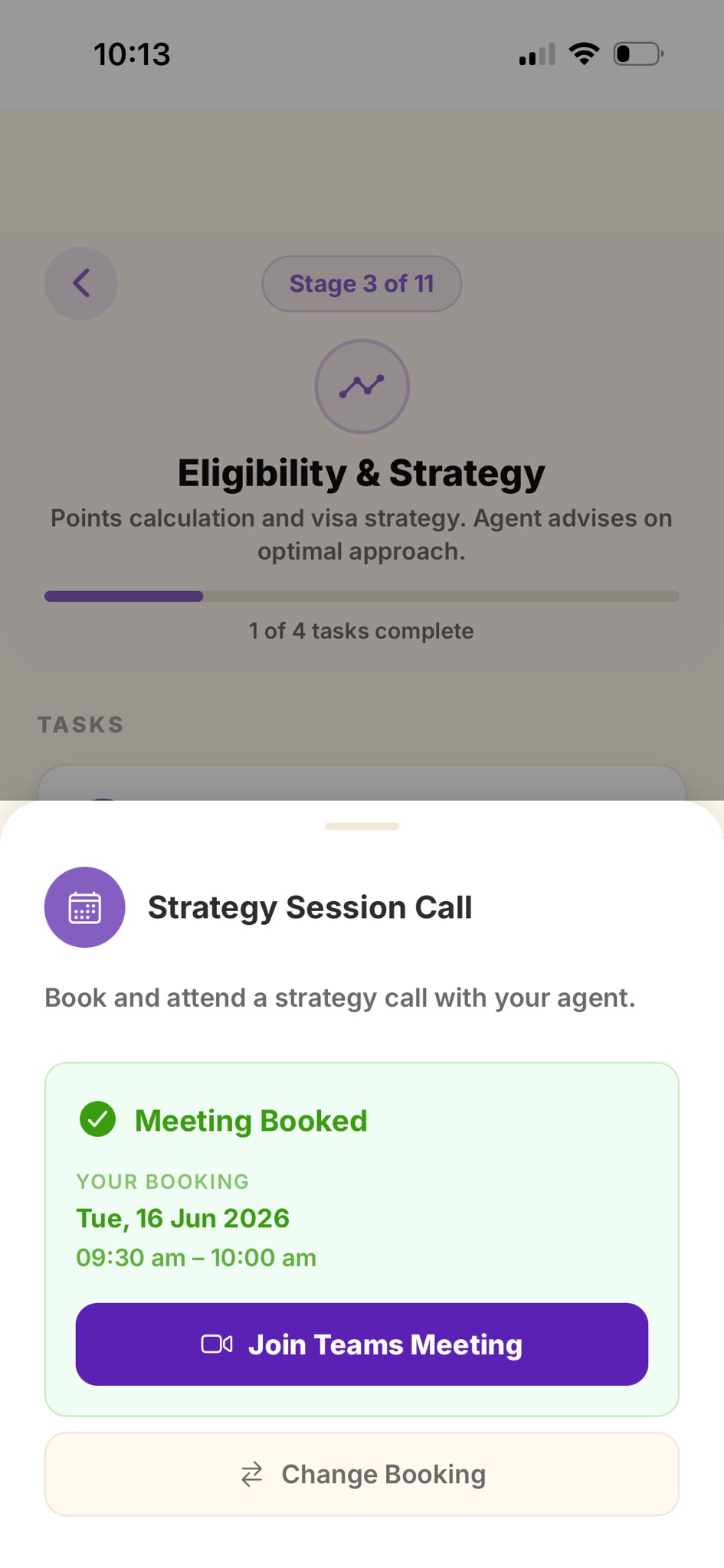
Confirmed — join via Teams
Meeting Booked ✓. At the scheduled time, tap Join Teams Meeting.
✅
Confirmation email: after booking, you'll receive a "Your meeting is set" email and a Microsoft Teams calendar invitation.